Thursday, April 16, 2015

WebGL Chrome Experiments using Google's Chrome Browser

Here I opened the bookcase chrome experiment.
Clicked on one of the Twilight series books.

This program allowed for you to look and browse through a vary large selection of books. It was pretty cool to see it in a very 3D atmosphere. There are over 10,000 book covers to browse through and there's the option to browse by various subjects as well.

Here is City Builder.
The game gives you a lot of freedom to build whatever you want. It felt a lot like a version of the Sims where you can build your ideal city and choose where to place things such as residential areas, police stations, plants, roads, etc.

This was a simulation of an aquarium.
Here is another view of the aquarium. You can also choose how many fish you want in the tank. I thought it was a very simple but cool concept. 

Thursday, April 9, 2015

Final #3: Group 3D Building Project

After much effort of being given the wrong coordinates I found my classmates! Here is the start of our building.
 I'm adding some glass to our building. This is very hectic trying to build with this many people.
I made some windows for the house.
The inside of our house.
The fence I built for our house.
Fence is coming out nicely.
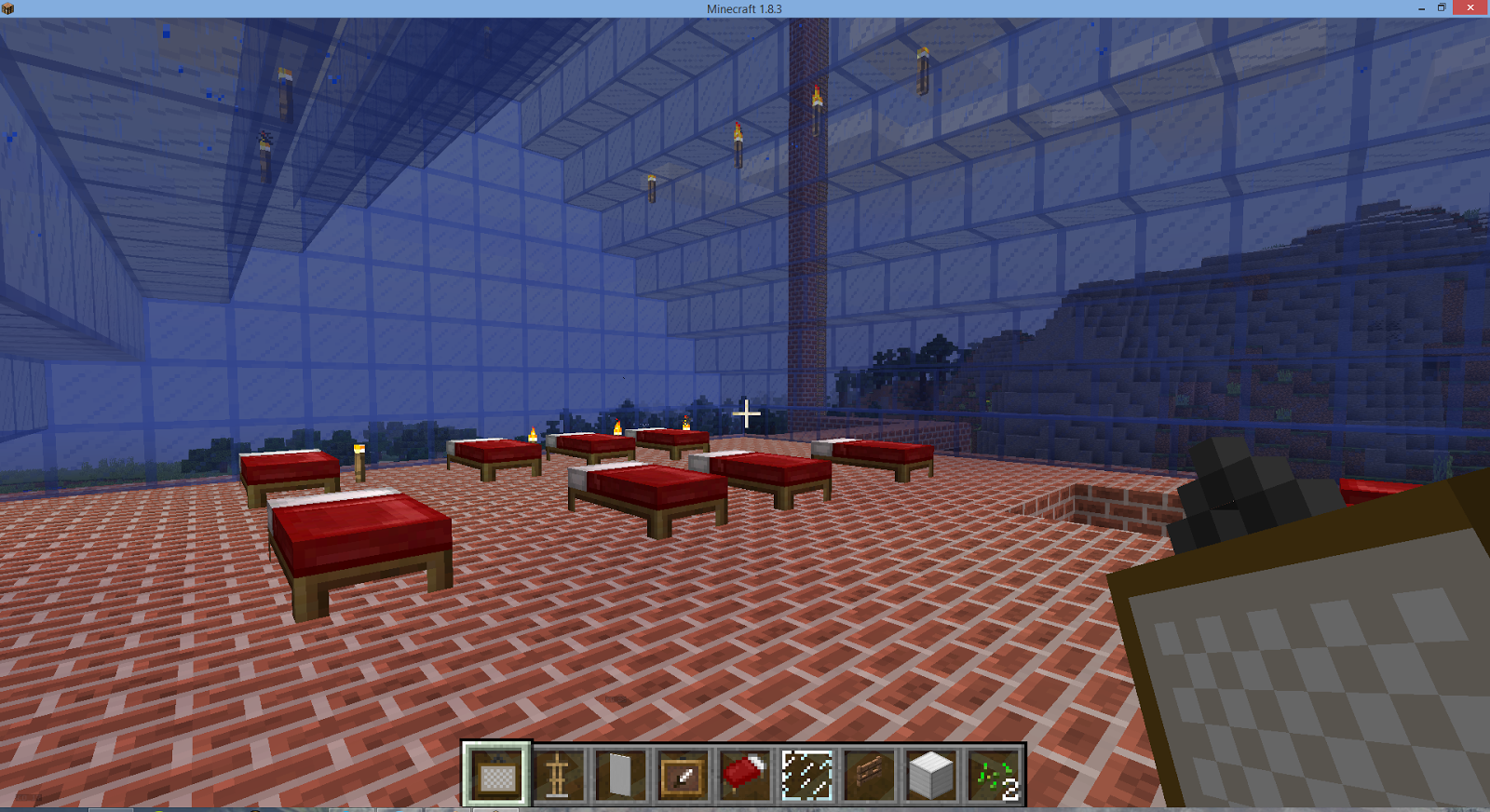
Added beds to the second floor of the house.
Changing the floor from stone to white carpet!
Carpet is all finished.
Top of our house. This is pretty cool idea.
 An outer view of our entire house.
Diving board with a pool. We are fancy.

This is a final project where we had to build a house together as a class. It took a lot of time and dedication and emphasized the essence of teamwork and voice communication. It is a final exercise from the Immersive Education course that I am taking at Boston College. The course is called Discovering Computer Graphics. For details, visit the immersive BC portal at http://ImmersiveEducation.org/@/bc

CLASS 10: The Education Grid

This starts with explaining the history of the Education Grind and how it started at Harvard University in 2007.
This talks about how schools can utilize the immersive education in a safe environment for teachers and students of any age.

This ensures that what the people use and create is truly their own. They have endless possibilities with immersive education and its up to educators to utilize the tools that are openly being provided for them.


CLASS 10: COLLABORATIVE CODING IN PlayCanvas


The PlayCanvas Website. An open source game engine that can run on your browser.
  
There are some of the tools the program has to offer.


 With the PlayCanvas Engine you can easily connect to other PlayCanvas users to collaboratively run the same program and build a masterpiece. You can run a full level editor in your browser and explore endless possibilities. It gives you the opportunity to work with friends or even work alone in creating something that you yourself and other alongside can enjoy.


CLASS 10: Second Life SANDBOXES

This is when I first entered the sandbox.
I like how my avatar raises his hands as he builds the object. I built a hallow cylinder!
Next I built this triangular prism. I increased the size to 5x5x5 meters. It's a lot bigger than my other object!
Look at the huge sphere I built. I found moving the object in space to be rather straight forward and simple. They even have a measuring ruler to show you the dimensions in space.
 Next sandbox I went to was Shiromani Sandbox.
I wasn't able to build in the original entrance but could in this open land.
Trying to build a house by making a giant cube and then changing the texture of it to bricks.
I added a roof to it and changed the texture again. Not bad for a house!


Final #4: High Resolution Avatar

This is what I was prompted with after immediately opening the program.
image
This is after I edited some basic features such as height, weight, gender, and ethnicity as well! For height I converted my 5'11'' height to centimeters and found it be roughly 180 cm.
image
I was really shocked with how many different features you could customize. I feel like you could really create a good representation of yourself if you spent not only the time but knew how to maximize the programs use.
image
I put a suit on myself to make him look very professional and classy!
image
You could also configure poses/animations for your person as well.
image
This is after I changed more settings and also notably gave myself some hair. I don't think he looks exactly like me but not bad? What do you guys think!
 This is Final#4 that uses the program MakeHuman. There are many features that you can customize to make the avatar look closely to yourself. It had many more customizable feature than the other virtual reality programs we have used thus far. It is a final exercise from the Immersive Education course that I am taking at Boston College. The course is called Discovering Computer Graphics. For details, visit the immersive BC portal at http://ImmersiveEducation.org/@/bc

FINAL 5c: MY CUSTOMIZED JAVA GAME

 I took the class Video Games and Virtual Reality with Professor Walsh last spring. Here's the link to my game: http://www.greenfoot.org/scenarios/10899.

This is the last part of the final where I changed the images of the turtle and the snake to a photo of me and the iED photo. I changed it to a space themed game. It is a final exercise from the Immersive Education course that I am taking at Boston College. The course is called Discovering Computer Graphics. For details, visit the immersive BC portal at http://ImmersiveEducation.org/@/bc